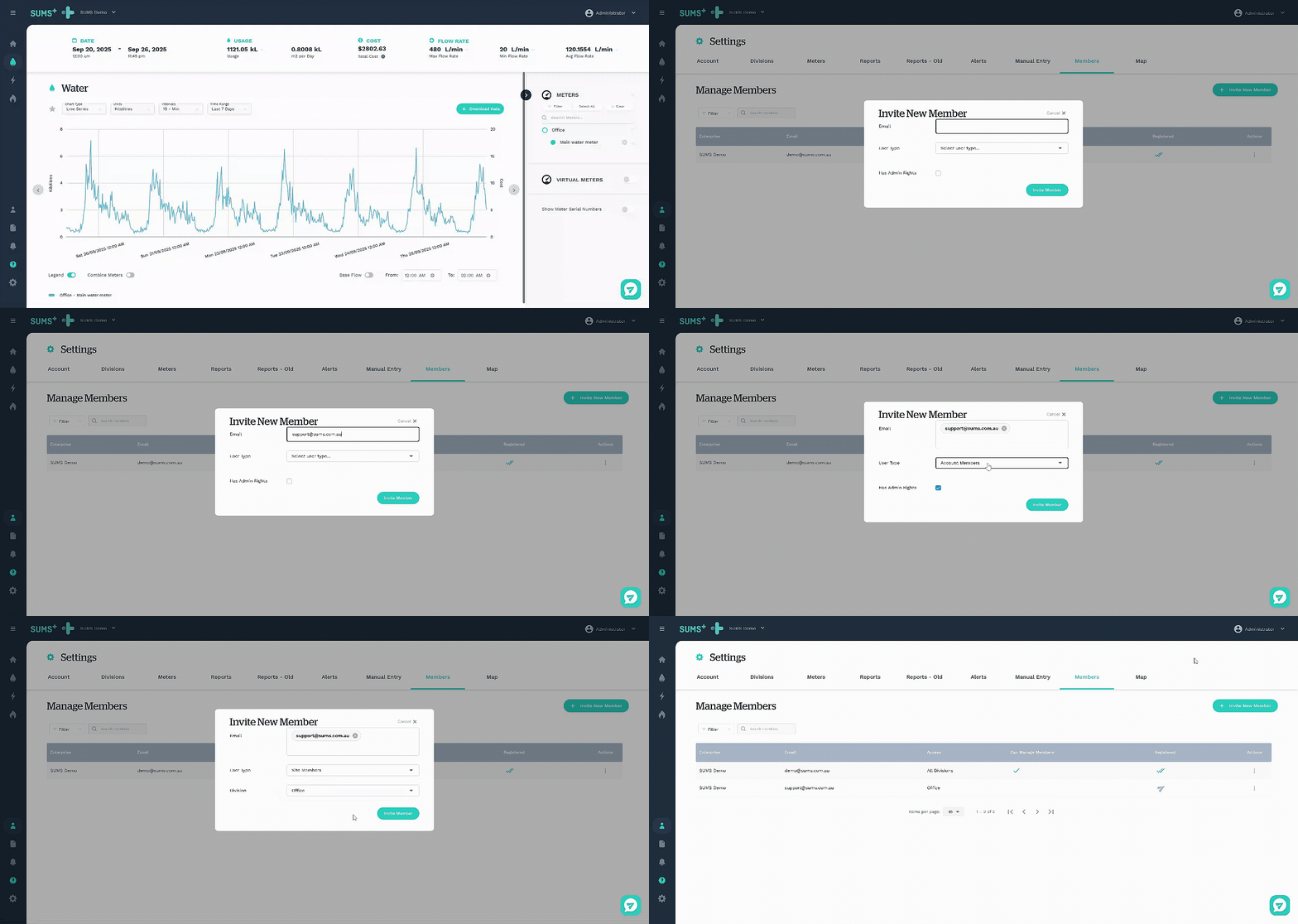
In SUMS+, we have two different user types: account members and site members. Account members will automatically have access to all sites in the account and have the option to manage other members. In contrast, site members will have access to certain sites and be unable to manage other members.
Adding account & site members
To access members, click the members icon on your dashboard, located in the left-hand menu. Now, simply click the invite new member button, add the person(s) of choice by entering their email address (or multiple email addresses), and select the applicable user type.
Account members
If the user type selected is account member, check the radio tickbox if this user should have the permissions to manage members.
Site members
If the user type selected is site member, select what sites the member should have access to from the site drop-down list.
They will then receive an invite via email, which they need to accept.